Author: RunToolify

  • Which 2026 Online Tool Platform Is Better, SmallPDF or RunToolify?

    Which 2026 Online Tool Platform Is Better, SmallPDF or RunToolify?

    SmallPDF vs RunToolify in 2025: Which Online Tool Platform Works Best?

    Online tools are really important these days for students like me, or developers, freelancers, even businesses. Stuff like SmallPDF gets used a lot for handling documents, especially PDFs. But then theres this newer thing, RunToolify, which seems to be shaking things up by offering more in one spot.

    I think its worth comparing them, you know, looking at features, how much they cost, ease of use, privacy stuff, and maybe some examples from real life. That way someone can figure out what works best for 2025.


    What is SmallPDF?

    SmallPDF is basically this platform centered on PDF tasks. You can compress files, merge them, split, convert, all through a pretty straightforward interface.

    Its core things include:

    • PDF compression
    • Merging and splitting
    • Conversion
    • Some basic editing

    But a lot of the advanced parts are locked behind paying, and if youre free, you hit limits every day. That can be annoying.


    What is RunToolify?

    RunToolify feels different. Its free, covers multiple categories for productivity, and doesnt make things complicated.

    Beyond PDFs, it has:

    • Image stuff like conversion and compression
    • Finance calculators
    • Web utilities
    • SEO tools
    • Developer and code tools
    • Design generators

    The best part, no need to log in, no install, no limits on use.


    Feature Comparison: SmallPDF vs RunToolify

    When you compare features:

    SmallPDF

    • Merge and split for PDFs
    • Compression but limited if free
    • Adding page numbers is paid only
    • It doesnt do image tools
    • No finance calculators
    • No SEO tools
    • No web tools like QR or UUID
    • You need to log in
    • There are file upload limits
    • Pricing is paid plans

    RunToolify

    • Merge split free
    • Compression free
    • Add page numbers free
    • Images included
    • Finance tools included
    • SEO tools included
    • Web tools included
    • No login
    • No limits
    • Its 100 percent free

    Why Pick RunToolify Over SmallPDF?

    So why pick RunToolify over SmallPDF?

    First, its truly free with no daily caps. SmallPDF stops you after a few things if youre not paying, but RunToolify lets you go unlimited, good for heavy use.

    Second, its all in one place. No jumping between sites for PDF, images, SEO, finance, developer tools, everything together.

    Third, no account needed, no email signup, no tracking, just open and go. That seems handy for students doing assignments or freelancers with different files, saves time and money.


    Ease of Use and Privacy

    Both are easy for beginners, but RunToolify might be better with cleaner categories to navigate, tools load faster, less pop ups pushing upgrades, and simple steps.

    On privacy, SmallPDF uploads to servers, keeps files depending on plan, tracks via login.

    RunToolify processes temporarily, deletes after, no account tracking. So for sensitive docs, that makes it more suitable, I guess.


    Real Life Example

    Like, imagine a student with lecture PDFs to compress, add page numbers, convert images to PDF, calculate expenses for semester.

    With SmallPDF, youd hit limits or pay up.

    But RunToolify does it all free, one spot, no login.


    Which One Should You Choose?

    SmallPDF could still fit if you just need basic PDF, already subscribed, or okay with restrictions.

    RunToolify if you want unlimited free, handle PDFs images SEO finance code, no login tracking, long term productivity.

    SmallPDF is popular for PDFs only, but RunToolify stands out in 2025, smarter flexible free alternative. No restrictions, no subs, more tools one place, thats the better pick, I think.

    This part gets a bit messy comparing everything.


    Internal Tools Mentioned

  • Best Free PDF Compressors in 2025 — Fast, Secure & No Software Needed

    Best Free PDF Compressors in 2025 — Fast, Secure & No Software Needed

    Introduction

    PDF files show up all over the place. Assignments use them. Business reports rely on them. Scanned documents and presentations involve them too. Large PDFs create issues though. You run into trouble emailing them. Uploading to online portals gets tricky. Sharing quickly turns frustrating. PDF compression turns into a must have thing for students. Professionals need it. Businesses depend on it.

    Online PDF compressors in 2025 work faster than before. They feel more accessible now. This guide covers what a PDF compressor does. It explains why it counts. RunToolify’s PDF Compressor stands out as a simple fix. It handles things effectively.


    What Is a PDF Compressor?

    A PDF compressor acts as an online or offline tool. It shrinks the size of PDF files. Optimizing images helps. Removing extra metadata works. Smart compression techniques apply. The aim stays clear. You get a smaller file. Clarity holds up. Readability does not suffer.

    RunToolify provides a fast PDF Compressor. It stays secure. Users find it easy. Access it here.
    https://runtoolify.dev/pdf-tools/pdf-compress


    Why Is PDF Compression Important?

    Plenty of everyday tasks call for smaller PDFs. Email platforms block big attachments often. Job portals cap file sizes strictly. Government sites and university pages turn away oversized PDFs. Large files load slow online. Storage space goes to waste on heavy PDFs.

    Compressing your PDF fixes these problems right away. It solves them in an instant.


    Key Features of RunToolify’s PDF Compressor

    RunToolify’s tool keeps things simple. It packs real power though. Benefits come through clearly.

    • It runs completely free.
    • No signup needed.
    • Processing happens fast.
    • File handling stays secure in the browser.
    • Output quality remains high.
    • Compression does not hurt it.
    • You adjust levels as needed.
    • It works across devices.
    • Phones and tablets handle it fine.
    • No watermarks show up on documents.

    These features build trust. They suit daily academic work. Office tasks benefit. Business needs get met reliably.


    How PDF Compression Works – Simple Explanation

    PDF compression follows four main steps usually. Image resolution drops. Lossless compression applies sometimes. Hidden metadata gets removed. Unused objects vanish. Fonts repackage efficiently. Embedded elements streamline. The document recreates smaller. Readability stays the same.

    RunToolify handles these steps on its own. Anyone compresses a PDF without hassle. It makes the process straightforward.


    Step-by-Step Guide to Using RunToolify’s PDF Compressor

    Step 1. Open the Tool

    Visit this link.
    https://runtoolify.dev/pdf-tools/pdf-compress

    Step 2. Upload Your PDF

    Drag the file over. Drop it in place. Or pick it from your device.

    Step 3. Select Compression Level

    Pick low, medium, or high. Base it on what you need.

    Step 4. Click Compress PDF

    Processing takes just seconds. The tool does its job.

    Step 5. Download the Compressed File

    Get your smaller PDF right away. No account comes into play.


    Real Life Example

    A corporate employee faces a monthly report deadline. The manager waits for it. Charts fill the pages. Images add detail. It ends up at 8 MB. The company email caps attachments at 2 MB.

    The employee turns to RunToolify. They upload the file. Medium compression gets selected. A 1.6 MB version comes back. It looks clean. Quality holds steady. Emailing works instantly now.


    Benefits of Using RunToolify’s PDF Compressor

    Time saves through instant processing. Desktop software becomes unnecessary. Sharing on slow networks eases up. Privacy holds with browser processing. Storage space shrinks in cloud drives. Hard disks free up too. It fits documents with images well. Diagrams compress nicely. Scanned pages handle fine.

    Students find it useful. Freelancers rely on it. Accountants appreciate the simplicity. Business owners streamline workflows. Document handling improves across the board.


    When Should You Use a PDF Compressor

    Compress your PDF for email sends. Portals take assignments and forms better. Business invoices prepare smoothly. Contracts ready up. Scanned copies share easily. Long term storage fits limits. WhatsApp or Telegram sends work. Files feel too large sometimes. They load slow. Compression steps in to help.


    Internal Linking Suggestions

    Add useful internal links like these.

    People use these tools right along with compression often.


    FAQ

    1. RunToolify’s PDF Compressor stays free.

    It runs completely free. No registration required.

    2. PDFs keep quality after compression.

    Choose the level carefully. Low settings match original quality closely.

    3. Documents never store anywhere with RunToolify.

    Processing happens securely in the browser. Nothing saves.

    4. Scanned PDFs work with the tool.

    It handles scanned and digital types both. Compression applies effectively.

    5. Mobile use comes easy.

    The tool runs smooth on any smartphone.

    6. Watermarks do not appear.

    Files stay clean. They look professional.

    7. Large file sizes support well.

    Very big PDFs compress without issues. They process smoothly.


    Conclusion

    PDF compression fits essential roles in digital work today. Sending documents for jobs goes smoother. Uploading forms avoids snags. Sharing study materials simplifies. A fast secure compressor cuts time. It dodges complications. RunToolify’s PDF Compressor delivers easy access. It proves reliable. Files shrink free of charge. Quality does not drop.

    Oversized files call for quick fixes sometimes. This tool ranks among the simplest choices. It stands effective too.

  • How to Merge PDF Files Online for Free (No Software Needed)

    How to Merge PDF Files Online for Free (No Software Needed)

    How to Merge PDF Files Online for Free (Step-by-Step Guide)

    Merge PDF – Combine PDF Files Online for Free | RunToolify

    People still talk about ways to merge PDF files online without paying a dime. This guide walks you through it step by step.

    Combining PDF documents does not need to feel like a hassle. You might be putting together reports or mixing contracts. Or maybe you are sorting out study materials. Keeping everything in a single neat PDF just simplifies things a lot. The good news is that you can do this merge PDF online free. You do not have to download any bulky software. RunToolify offers easy PDF tools that handle it all.

    This guide covers what the Merge PDF tool actually does. It explains why it counts for so much. You will see how to combine PDF files right away. We use clear step-by-step directions here.


    What the Merge PDF Tool Really Is

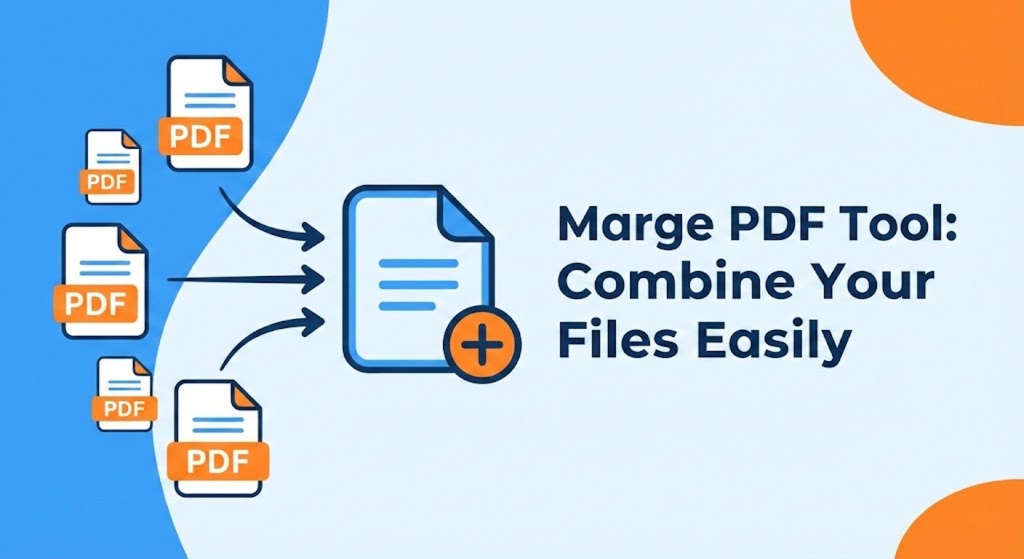
    RunToolify’s Merge PDF tool gives you a straightforward online way to join several PDF files. It turns them into one tidy document.

    Everything runs right in your browser. That means no need for setups or add-ons. You do not require any tech know-how either. You just upload the files. Then arrange them. Finally merge.

    It suits students and pros alike. Freelancers find it useful too. Pretty much anyone dealing with digital docs can benefit.


    Why This Tool Matters So Much

    PDFs rank as one of the safest formats out there. They get used everywhere too. Still handling a bunch of them separately turns things chaotic fast.

    A merge tool fixes that in key ways. You end up saving time since all stays in one spot. Folders and email attachments stay less cluttered. You build unified PDFs that look sharp for talks or hand-ins. Compatibility problems between versions fade away. Workflows across jobs school or home run smoother.

    Any solid merge PDF online free option keeps these jobs easy and quick. It opens up to just about everyone.


    Standout Features in RunToolify’s Merge PDF Tool

    RunToolify’s tool at
    👉 https://runtoolify.dev/pdf-tools/merge-pdf
    shines because it focuses on quickness privacy and ease for users. It comes free to use. You can merge as many PDFs as you like without a charge.

    Files process fast thanks to server tweaks. They combine in seconds flat. The drag-and-drop setup lets you shuffle pages or whole docs before joining. Security stays tight since uploads vanish right after handling. That keeps things confidential.

    No installs needed at all. It runs in browsers on mobiles tablets or desktops. You handle multiple PDFs in a single session too.


    How It All Works in Plain Terms

    You upload PDFs to RunToolify and the system grabs them for a bit. It sorts the pages however you pick. Then it spits out a fresh merged file you can download clean and ready.

    Nothing gets stored forever. No sharing of data happens. You just get speedy merging and a quick download.


    Steps to Use the Tool Right

    These steps make combining PDFs pretty simple. Follow along.

    First head to the Merge PDF tool. Go through RunToolify to PDF Tools then Merge PDF. Or jump straight to:
    👉 https://runtoolify.dev/pdf-tools/merge-pdf

    Next upload your PDF files. Hit the upload button or drag them into the spot.

    Then rearrange as needed. Drag the files around to set the order for your final doc.

    After that click merge. RunToolify handles the processing and joins them into one PDF.

    Finally download the new merged PDF. Just click to save it right away.

    The whole thing wraps up in under a minute usually.


    A Real Example from Everyday Life

    Picture yourself as a college student on a big project. You have a PDF for the intro part. Another holds research data. One more has diagrams. Your teammate sent the conclusion as a PDF too.

    Attaching four files to an email feels clunky for submission. Instead use RunToolify to merge PDF online free. Upload them all. Arrange the order. Merge and download. Now one pro looking organized PDF sits ready to go.


    Perks of the Merge PDF Tool

    RunToolify makes combining PDFs bring real upsides. It cuts time on manual doc fiddling. Files stay organized in clean combined versions. Reports and presentations gain a more pro edge. The privacy setup keeps files safe first. It works across platforms like Windows macOS iOS or Android. Even beginners handle the interface without trouble.


    When to Pull Out This Tool

    Reach for the Combine PDF tool whenever you aim to submit assignments or reports as one PDF. It helps organize docs with multiple chapters. Scanned pages join into a single file easily. Email attachments drop in number. Prep for printing or archiving goes smoother. Business stuff like contracts invoices or forms merge well.

    If PDF consolidation fits your routine this tool eases it all up.


    Ideas for Internal Links

    ✔ Compress PDF Tool

    👉 https://runtoolify.dev/pdf-tools/pdf-compress

    ✔ Split PDF Tool

    👉 https://runtoolify.dev/pdf-tools/split-pdf

    ✔ PDF to Image Tool (closest matching tool in sitemap)

    👉 https://runtoolify.dev/pdf-tools/pdf-to-image

    ✔ Image to PDF Tool (reverse conversion)

    👉 https://runtoolify.dev/image-tools/image-to-pdf


    Common Questions Answered

    The Merge PDF tool runs completely free. RunToolify lets you merge PDF online free with no sneaky fees.

    Uploading PDFs stays safe. Files get deleted automatically post-processing for full privacy.

    You can merge more than two PDF files. Upload and combine as many as needed.

    The tool works fine on mobile devices. RunToolify’s Merge PDF tool handles mobiles without issues.

    No account creation comes required. Skip signups or installs. Just upload and merge.

    Rearranging files before merging works easy. Drag and drop them into your preferred order.

    Large PDFs pose no big problem. The tool manages them. Still use the Compress PDF feature later if size matters.


    Wrapping It Up

    Merging PDFs need not drag on complicated. RunToolify’s Merge PDF tool lets you combine files fast secure and totally free. It runs straight from your browser. Students pros or folks sorting personal docs all save time this way. Organization improves too.

    Give it a shot at:
    👉 https://runtoolify.dev/pdf-tools/merge-pdf

    Your doc handling gets simpler than before.

  • RunToolify: Free Online Tools for Developers, Finance, PDF Tasks, and More

    RunToolify: Free Online Tools for Developers, Finance, PDF Tasks, and More

    RunToolify is your one-stop shop for smart online tools.

    No matter if you’re a student, developer, freelancer, business owner, or just a casual user, everything moves quickly these days. Everyone needs easy-to-use tools that can quickly calculate, convert, check, format, extract, upload, and fix things.

    That’s why RunToolify was made.

    RunToolify is a growing collection of free, fast, and easy-to-use online tools that can help you save time, cut down on manual work, and finish tasks in just a few seconds. You don’t have to look through dozens of websites to find every small tool; instead, you get all of them in one neat, organised place.

    RunToolify has everything you need, from finance calculators to developer tools, PDF solutions to text and productivity tools.


    What is RunToolify?

    RunToolify is a website that has a lot of different types of online tools that you can use right away. You don’t have to sign up, install anything, or go through any complicated steps.

    It is meant to be:

    • Good for beginners
    • Fast and right
    • Totally free
    • SEO-friendly and web-friendly
    • Easy to reach and trustworthy

    The goal of RunToolify is simple:
    “Make it easier for everyone to do everyday things online.”

    RunToolify has a tool for every need, whether you want to figure out your EMI, format your JSON code, merge PDFs, compress a file, or use simple text utilities.


    Tools That RunToolify Gives You

    RunToolify has tools in a lot of different categories. This is a full list:


    1. Tools for Finance

    Finance tools help people figure out and understand numbers without using formulas.

    Some examples are:

    • Calculator for Loan EMIs
    • GST Calculator
    • Calculator for Income Tax
    • SIP Calculator
    • Tool for Comparing Loans
    • Calculator for Compound Interest
    • Currency Converter

    People who own businesses, go to school, buy homes, invest, and work use these tools.


    2. Tools for Developers

    RunToolify has all the tools that every developer needs.

    For example:

    • JSON Formatter
    • Validator for JSON
    • Encode/Decode in Base64
    • UUID Maker
    • Decoder for JWT
    • Regex Test
    • Minifier for HTML, CSS, and JS
    • URL Encoder and Decoder

    These tools let developers quickly debug, test, and check their code.


    3. Tools for PDFs

    PDF tools make it easy and quick to work with documents.

    Some tools are:

    • PDF Compressed
    • Merge PDF
    • PDF Splitter
    • Unlock PDF
    • PDF Protector (Protect with a Password)
    • Images to PDF and PDF to Images
    • PDF Converter (for many file types)

    These tools make it easier for students, office workers, and businesses to handle documents.


    4. Tools for Text

    Easy-to-use tools for writing, editing, and making text.

    For example:

    • Counter of Words
    • Counter for Characters
    • Convert Case
    • Get rid of lines that are the same
    • Generator of Paragraphs
    • Generator for Lorem Ipsum

    Great for bloggers, students, writers, and people who make content.


    5. Tools for Getting Things Done

    Tools that make it easier to do your daily tasks and work.

    For example:

    • Make a QR Code
    • Barcode Maker
    • Choose a Colour
    • Unit Converter
    • Calculator for Age
    • Generator of Random Passwords

    These tools make things go faster and more efficiently.


    The Reason for Starting RunToolify

    For small tasks, most people go to more than one website:
    One for a PDF, one for a calculator, and one for tools for developers…
    This takes time and sometimes even costs money.

    RunToolify fixes this by giving you:

    ✔ All of the tools in one place
    ✔ Easy and free for everyone
    ✔ A simple and clean interface
    ✔ Results that are quick and correct
    ✔ Safe and secure to use
    ✔ No need to log in or install

    The goal is to make it easy for people to use the internet.


    Why You Should Use RunToolify

    The main benefits are:

    ✓ Quick and Easy
    Simply open the tool, type in your values, and get results right away.

    ✓ No cost at all
    There are no hidden fees on RunToolify; all of its tools are free.

    ✓ Easy for Beginners
    You don’t need to know anything about computers to use the tools.

    ✓ Calculations that are right
    Finance and code tools are made with exact logic so that they always work.

    ✓ Many Different Types
    You can find everything you need, from finance to developer to PDF tools.

    ✓ No Need to Sign Up
    You can use tools right away without making an account.

    ✓ Can be accessed from any device
    RunToolify works on all devices, including phones, tablets, and computers.

    ✓ Always being updated
    New tools are added all the time based on what users need.


    Who Can Use RunToolify?

    RunToolify is made for everyone, including:

    • Students
    • People who make websites
    • People who own small businesses
    • Accountants
    • Writers of blogs and other content
    • People who work in an office
    • People who work for themselves
    • Designers
    • Instructors
    • Marketers on the internet

    Anyone who works online will find useful tools here.


    What Sets RunToolify Apart?

    These are the things that make RunToolify different from other tool websites:

    ✔ A clean and modern user interface
    ✔ Loads quickly (good for SEO)
    ✔ No ads or other distractions
    ✔ Tools that can be used in the real world
    ✔ Uses modern technology to get accurate results
    ✔ Every month, new tools are added.
    ✔ Made to help people save time and energy


    The Future of RunToolify

    Every day, RunToolify gets bigger.
    Coming up are the following features:

    • More calculators for money
    • More tools for automating PDFs
    • Developer tools that use AI
    • Smart text tools
    • New tools for getting things done
    • Tools based on user requests

    The goal is for RunToolify to become a global platform for online tools that millions of people use.


    Last Words: RunToolify Is Made to Help You Work Smarter

    RunToolify isn’t just a website for tools; it’s a full digital productivity platform where anyone can find the right tool in seconds.

    RunToolify gives you the speed, ease, and accuracy you need to do things like figure out your taxes, change a PDF, format JSON, or make text.

    Check out RunToolify today to make your daily tasks easier, faster, and smarter.